Unique to Ludum
See inside
the boat.
Stroke-by-stroke power, force curves, catch angles, boat acceleration, and speed — for every crew, every session. The only platform that integrates Peach Powerline telemetry with your training data.
Standalone LicenceTelemetry is a separate product — no Ludum Team subscription required.

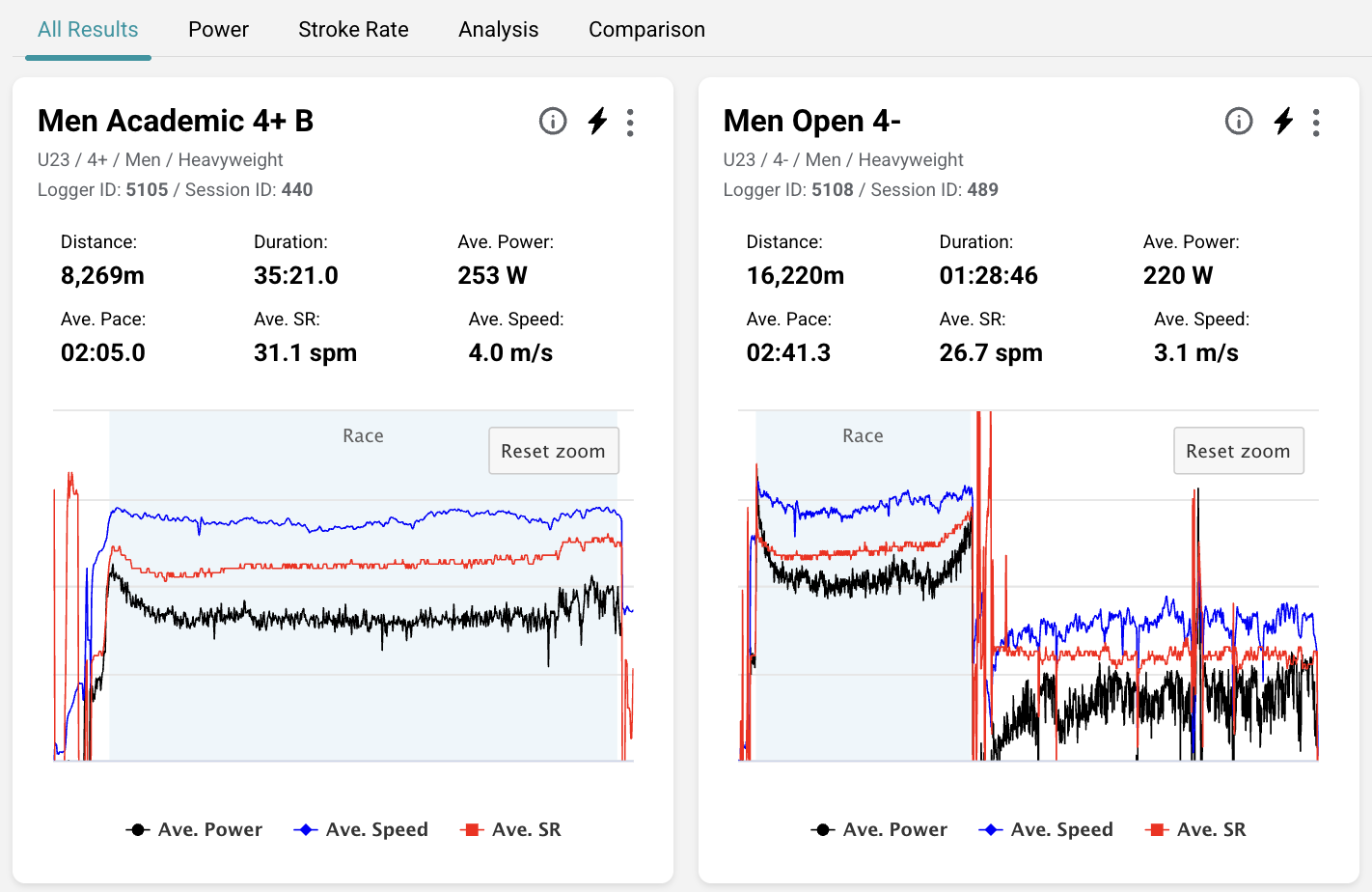
Crew Power Comparison
Every crew. Every stroke. Compared.
Upload from Powerline, and Ludum automatically groups crews into sessions by time. Open any session and see the average power for every crew overlaid stroke-by-stroke. Instantly see who held power, who faded, and where the pieces diverged.
- Power comparison across all crews in a session — stroke by stroke
- Sessions auto-grouped by time — plug in, upload, done
- Click any crew to see individual athlete power, catch slip, effective length
- Switch between power, speed, stroke rate, and acceleration views
Head-to-Head Analysis
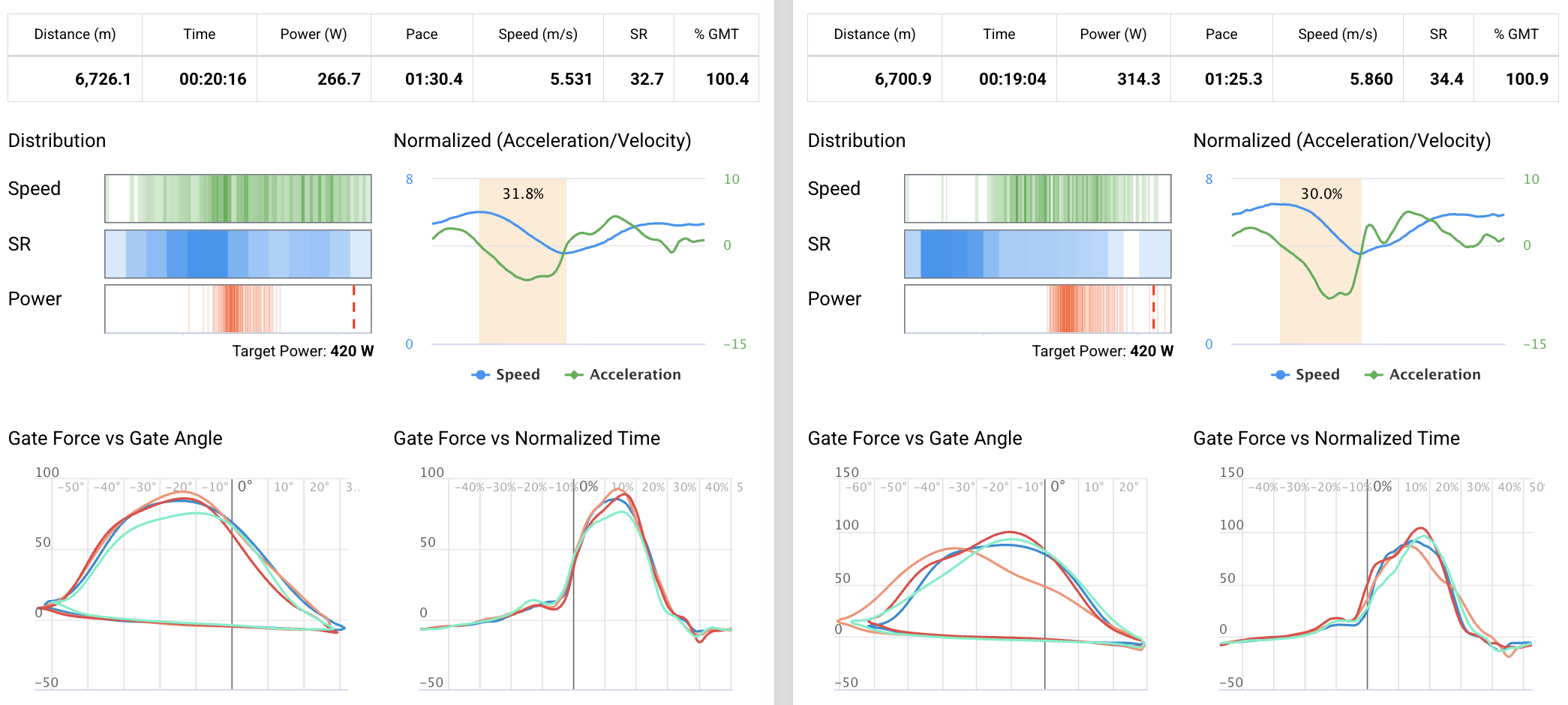
Pick two crews. Compare everything.
The analysis tab lets you select any two crews and any effort within a session. Ludum shows you speed, acceleration, power, stroke rate distribution, and time in deceleration — side by side. Overlay individual curves. Compare catch angles stroke by stroke. See if a crew got shorter over the piece or held their length.
- Select efforts by dragging on the timeline — or import selections from Powerline
- Side-by-side speed, acceleration, and power curves
- Stroke rate and power distribution comparison
- Catch angle vs finish angle timeline — see technique drift over a piece
- Generate a PDF comparison report to share with the crew
Stroke Rate Analysis
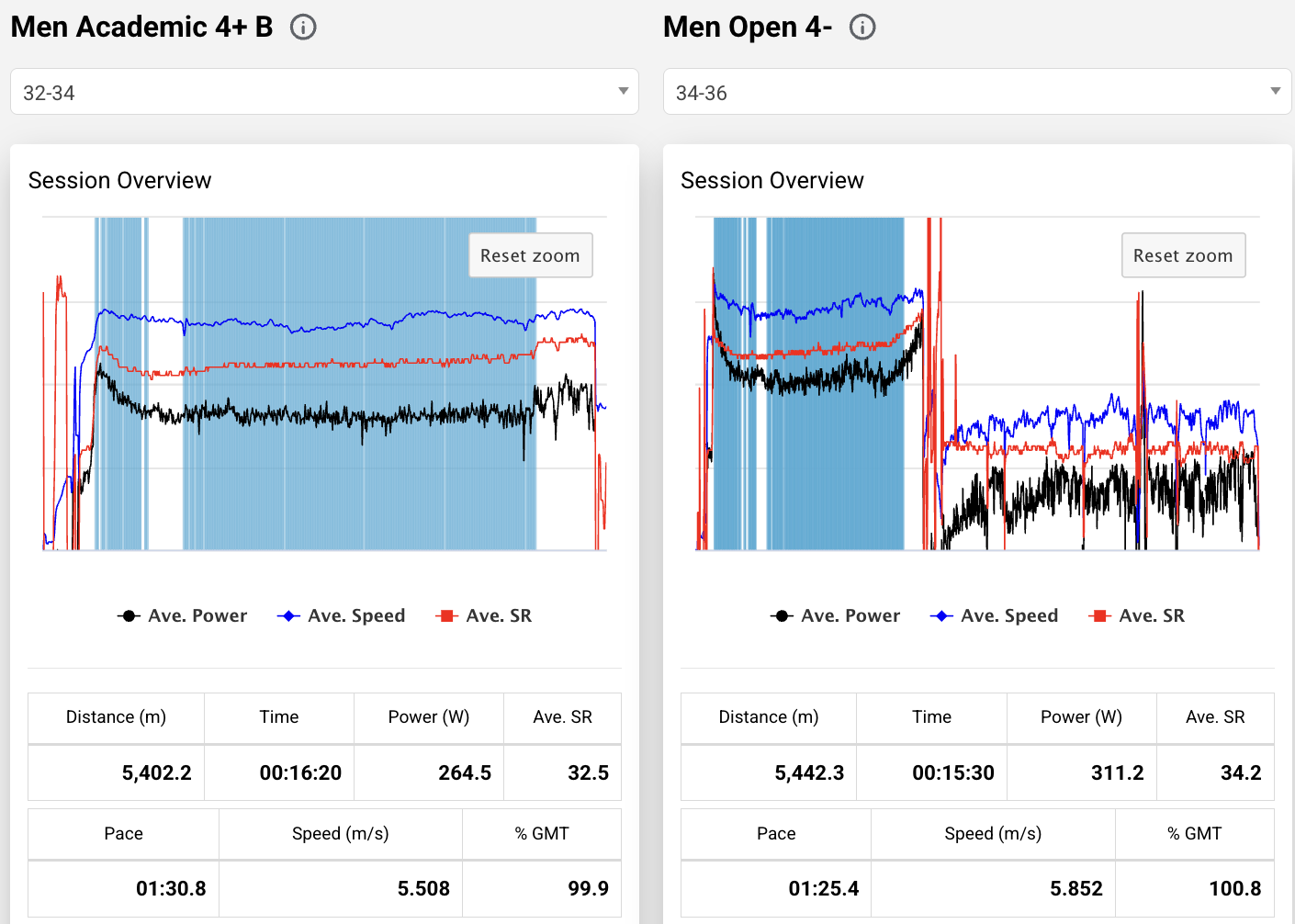
Auto-detected stroke rate bands. Race pace isolated instantly.
Ludum automatically detects the most common stroke rate band in each session and shows you the data for that effort. Paddling at 18? You see the steady state. Efforts at 32–34? You see the race piece. No manual selection required — but you can override and pick any band.
- Automatic detection of the most common stroke rate range
- Speed, distance, average power, and acceleration for the selected band
- Per-athlete power with target line — see who's hitting their numbers
- Effective length and catch/finish angles per athlete with targets
- Time spent in deceleration — quantified as a percentage
Session Management
Every session in your calendar. Always findable.
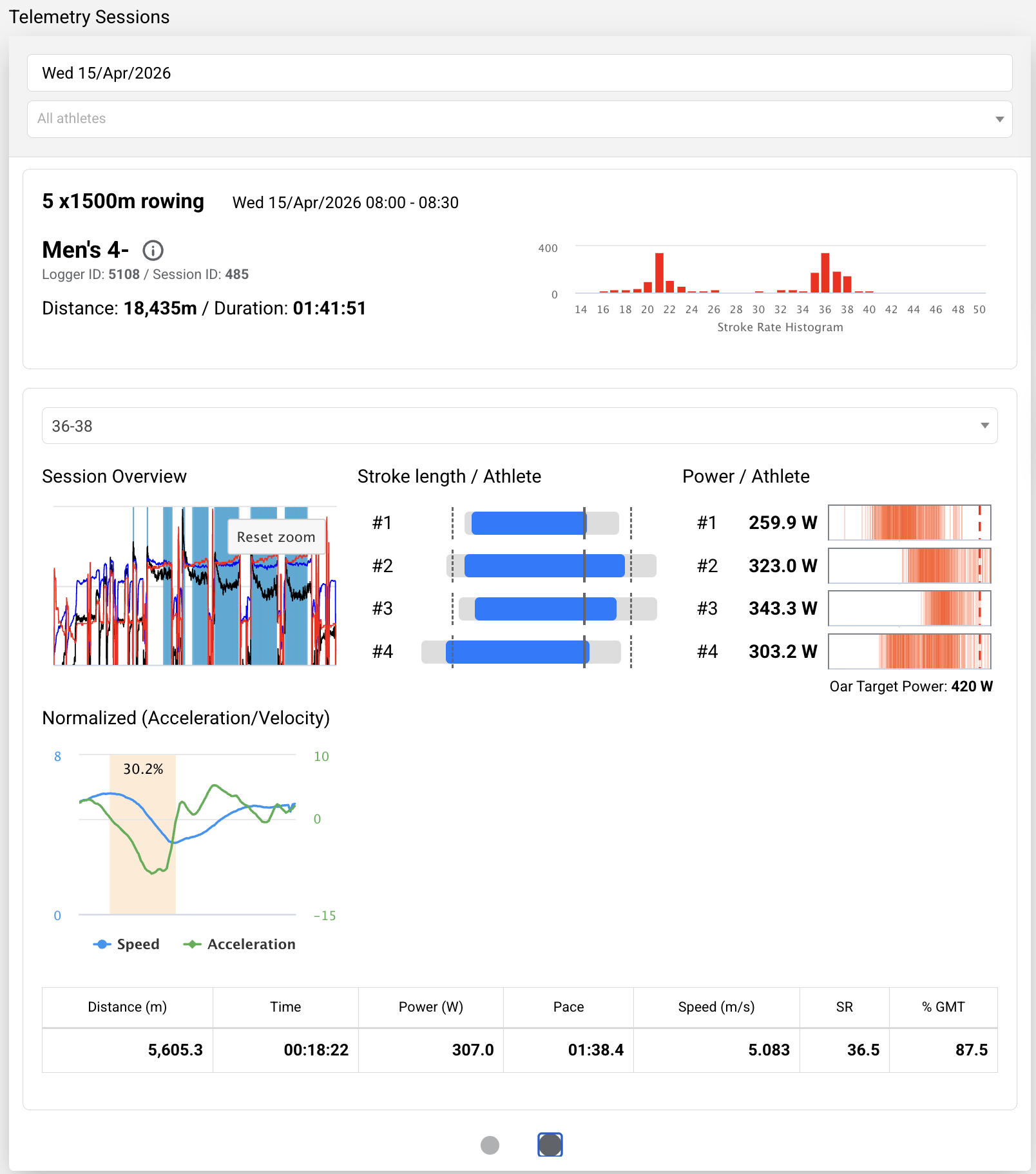
When you upload from Powerline, Ludum automatically places the session in your training calendar and groups crews that trained at the same time. Filter by telemetry tag and you instantly see every session that has telemetry data. No more hunting through logger files — the data lives where your programme lives.
- Telemetry sessions live in your training calendar alongside all other data
- Crews auto-grouped by upload time — one session, all crews
- Filter calendar by "Telemetry" tag to find any past session instantly
- Dashboard widget showing today's telemetry sessions with stroke rate distribution
- Much more user-friendly search and navigation than Powerline alone
How It Works
Plug in. Upload. See everything.
Record with Peach
Train as normal with your Powerline loggers. No changes to your setup.
Upload to Ludum
Plug in your logger and upload. Ludum auto-groups crews by session time.
Compare & Analyse
Overlay crews, filter by stroke rate, compare head-to-head — instantly.
Share with Athletes
Generate PDF reports for debrief. Data stays in your calendar forever.
“The telemetry integration is a game-changer. We went from guessing about technique to seeing stroke-by-stroke data in real time. My coaches can make adjustments during the session, not after it. Nothing else on the market does this.”
Matt Ryan
Olympic Medallist & Performance Coach
See your Powerline data like never before.
Book a demo and we'll show you Ludum Telemetry with real session data — crew overlays, stroke rate analysis, and head-to-head comparison.